Getting started
Two-factor authentication
Add a second login step with an authenticator app — and where Congressio requires it.
Two-factor authentication (2FA) adds a second step after your password: a 6-digit code from an authenticator app. It's available to every account, and required on the surfaces that can move money or reach the whole platform.
Setting it up
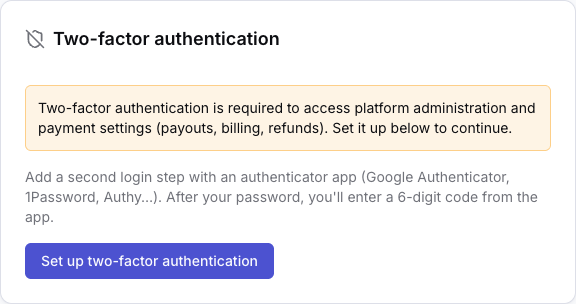
Open your profile and find the Two-factor authentication card.
- Click Set up two-factor authentication. A QR code appears.
- Scan it with an authenticator app — Google Authenticator, 1Password, Authy, or any other TOTP app. If you can't scan, the card shows a key you can type in manually.
- Enter the 6-digit code the app shows and click Confirm & enable.
You're then given a set of recovery codes. Store them in your password manager: each one works once, and they're the way back in if you lose the device with your authenticator app. They are not shown again.
To turn 2FA off, use Disable on the same card — it asks for a current code (or a recovery code) first, so losing your phone doesn't also mean losing the ability to protect the account.
Where it's required
Some surfaces redirect you to that enrollment card instead of letting you in:
- Platform administration (
/admin) — the highest-value target on the platform: billing templates, plans, every organization. - Payment settings — the Payouts page always, and Billing once your organization has a Stripe account connected.
Three actions also refuse outright until you've enrolled, even if you reach them another way: starting Stripe Connect onboarding (so you can't become payout-enabled without 2FA), opening the Stripe dashboard link, and refunding a registration.
The requirement is personal, not organizational. It applies to the account doing the action — enrolling protects you, so it can't be delegated. A colleague's 2FA doesn't cover yours.
The reasoning is worth stating plainly: an account that can refund in bulk, export attendee personal data, and send email from a trusted address is worth stealing. A second factor is the standard control.
Signing in once it's on
With 2FA enabled, signing in with your password asks for a code from your app. A recovery code works in its place.
Magic links stop working for your account. A link emailed to you proves you control the mailbox but skips both the password and the code — honouring it would mean email access alone defeats your second factor. Enrolled accounts sign in with password + code, and the login page says so if you try a link.
The mobile app asks for the same code on login.
Related: Roles, team & access · Plans, billing & payouts