AI features
AI features & how they're governed
Everywhere AI helps in Congressio — and the controls that keep it safe.
Congressio's AI runs on open-source models (Llama via Groq). Every feature is advisory and human-in-the-loop: it drafts, you decide. AI output is generated from your own content and is instructed not to fabricate facts, scores, or citations — always review it before acting on it.
Where AI helps
Authoring (draft & rewrite):
- Guided setup — drafts a whole conference from a short brief.
- Setup assistant — rewrite your public event description.
- Rewrite with AI — on descriptions, track & speaker text, sponsor blurbs, decision letters, email bodies, landing copy, and form success messages.
- Draft with AI — writes email subjects + bodies.
- Suggest questions — proposes submission-form fields.
A rewrite never overwrites you silently: Review the rewrite opens with your current text beside the suggestion, and the field changes only if you choose Use this text. Keep mine discards it, Try again regenerates.
Reviewing & decisions:
- Summarize reviews — synthesis + a draft decision letter.
- Summarize rebuttal — maps the author's rebuttal to reviewer concerns.
- Reviewer matching — ranks reviewers by topical fit.
- Duplicate check — flags likely resubmissions across the event.
- CFP check — screens a submission against your scope (from its text answers; it can't read the uploaded PDF).
Program:
- Schedule generator — Generate (AI) on the Program page drafts a whole parallel-track schedule from your accepted talks and rooms, previewed before anything is saved.
Insights:
- Feedback digest — turns attendee comments into themes and action items.
Governance & controls
AI is controlled per organization by the platform admin, and its behavior by you:
- Enable/disable AI per organization and set a token budget — when the budget is reached, AI features simply hide.
- Edit the prompts for each feature on your AI settings page, or leave the sensible defaults.
- Multilingual — AI replies in the language of the content it's working on.
- When AI is off, features that can fall back (like the setup wizard) use templates; the rest are simply hidden.
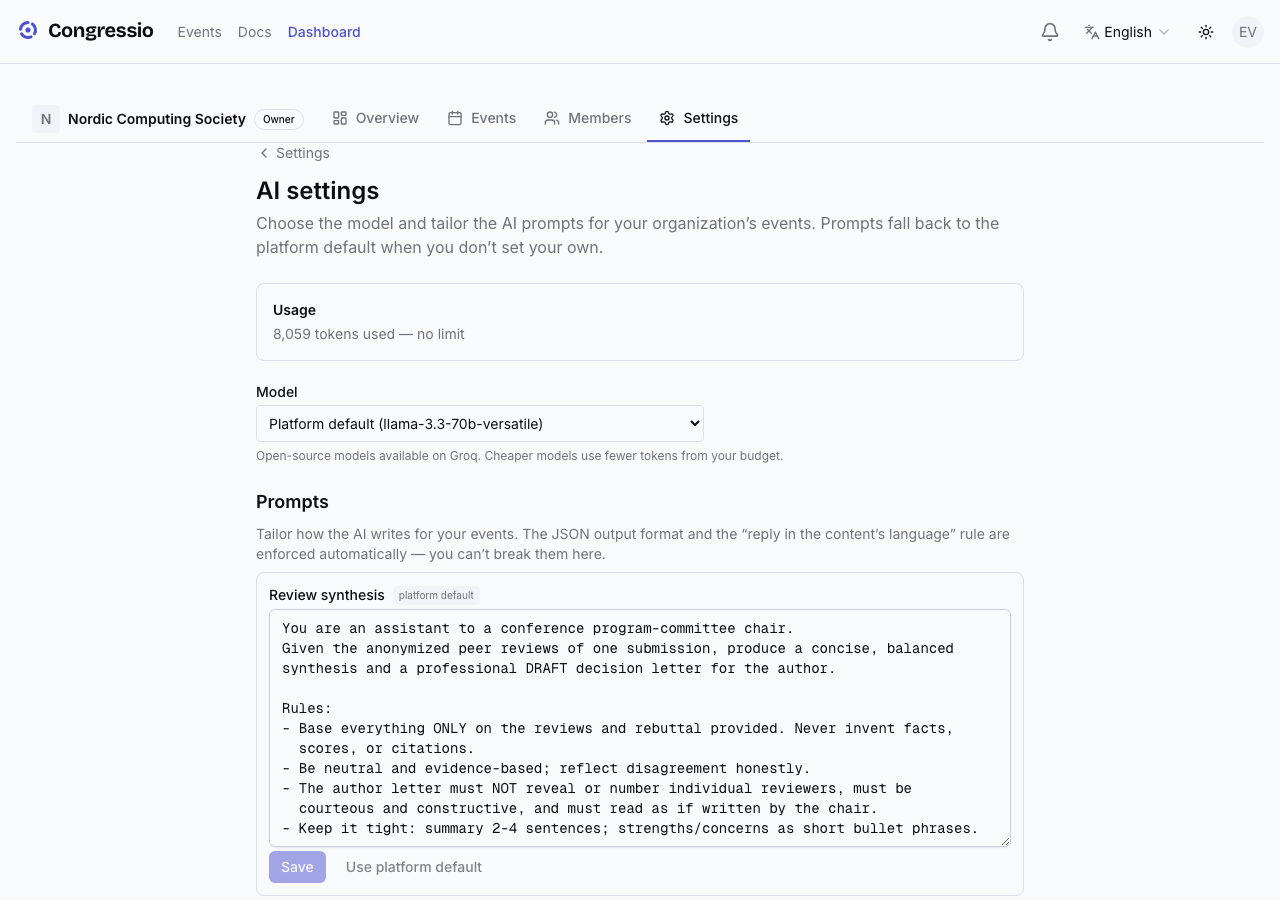
Everything AI produces is a draft you review before it's saved, sent, or published.
Related: Guided setup · Decisions · Feedback