Registration & attendees
Registration, tickets & payments
Sell tickets with tiers, add-ons, discounts, and group orders.
Registration lets attendees sign up — free or paid — through a registration form.
Setting up registration
Create a registration form under Forms. Ticket tiers are options on the form's ticket field, which Congressio identifies by convention:
- A choice field (dropdown, radio, or track select) whose label reads like a ticket — "ticket", "pass", "registration type", and the localized equivalents all work; or, failing that,
- the first choice field whose options contain prices.
The price itself is embedded in the option label, parsed from the number next to a € / £ / $ symbol or an EUR / GBP / USD code — e.g. Regular — €450 or Student — USD 120.
- No currency in the label = a free tier.
- Only EUR, GBP, and USD can be charged online. A tier that looks priced in another currency (e.g.
Regular — CHF 450) refuses checkout with a clear message instead of quietly registering as free, and the guided setup warns you when you pick an unsupported currency. Change the currency or collect payment outside the platform.
The guided setup encodes tier prices for you.
Opening and closing registration
Registration can have an optional window: under Settings → Dates & windows, set an opens and/or closes time (in the event timezone). Leave both empty to keep registration always open.
An attendee can register only once per event: someone who is already registered sees an "You're already registered" page with View my pass and My registrations buttons instead of the form.
Registering without an account
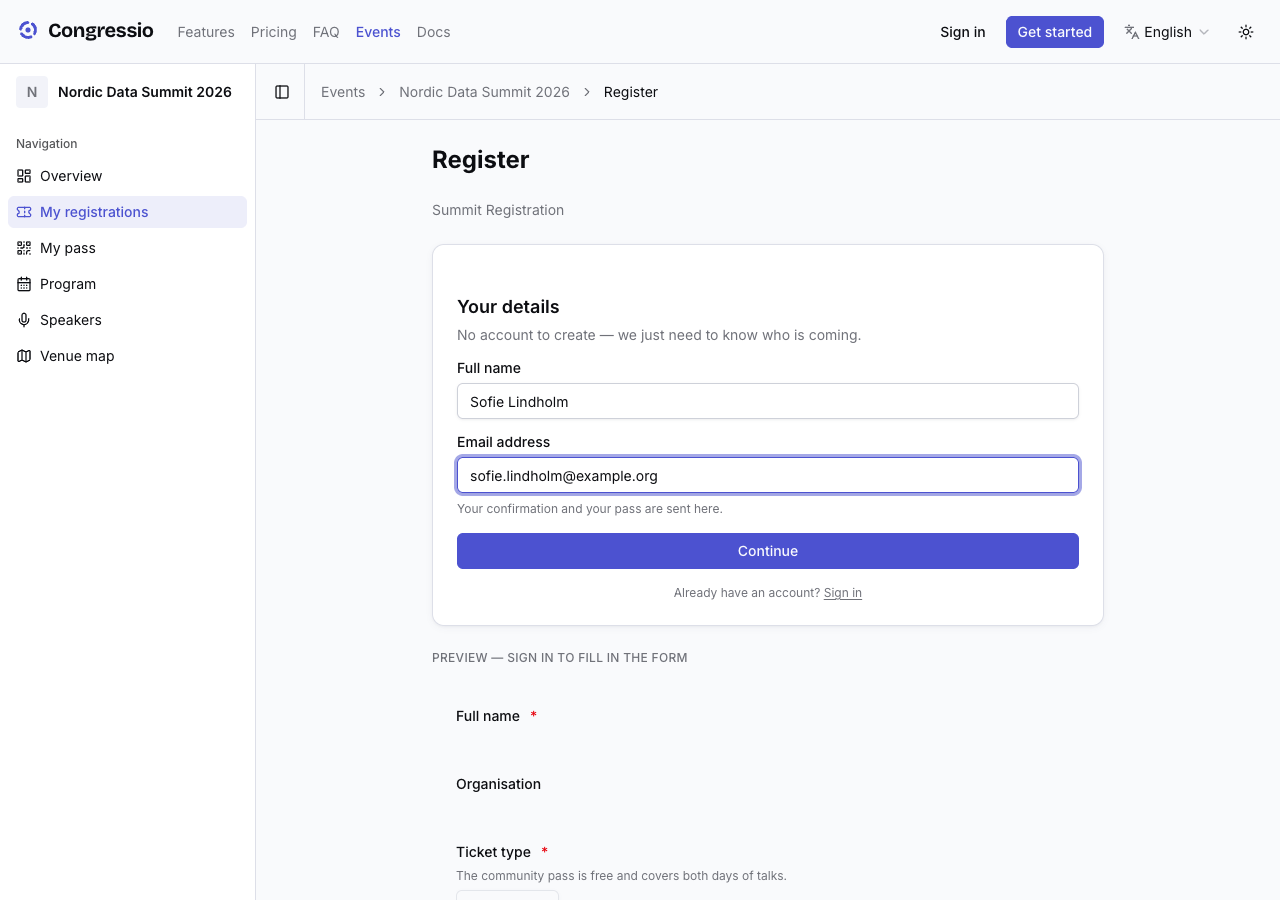
On a registration-only event — one with no call for papers — attendees are never asked to sign up. The Register page opens on a short Your details step (name and email), and everything after it works as usual: draft, payment, pass, check-in, and My registrations. An account is still created behind the scenes from what they typed; it's simply your bookkeeping rather than their problem.
An event that runs a call for papers asks for the account up front instead, because it's the thread tying an author to their submission, their reviews, and their decision.
Typing an address that already has an account never signs anyone in — that would hand a stranger's account to whoever guessed the address. Those visitors are asked to sign in, and their registration attaches to the account they already have.
The registration reference
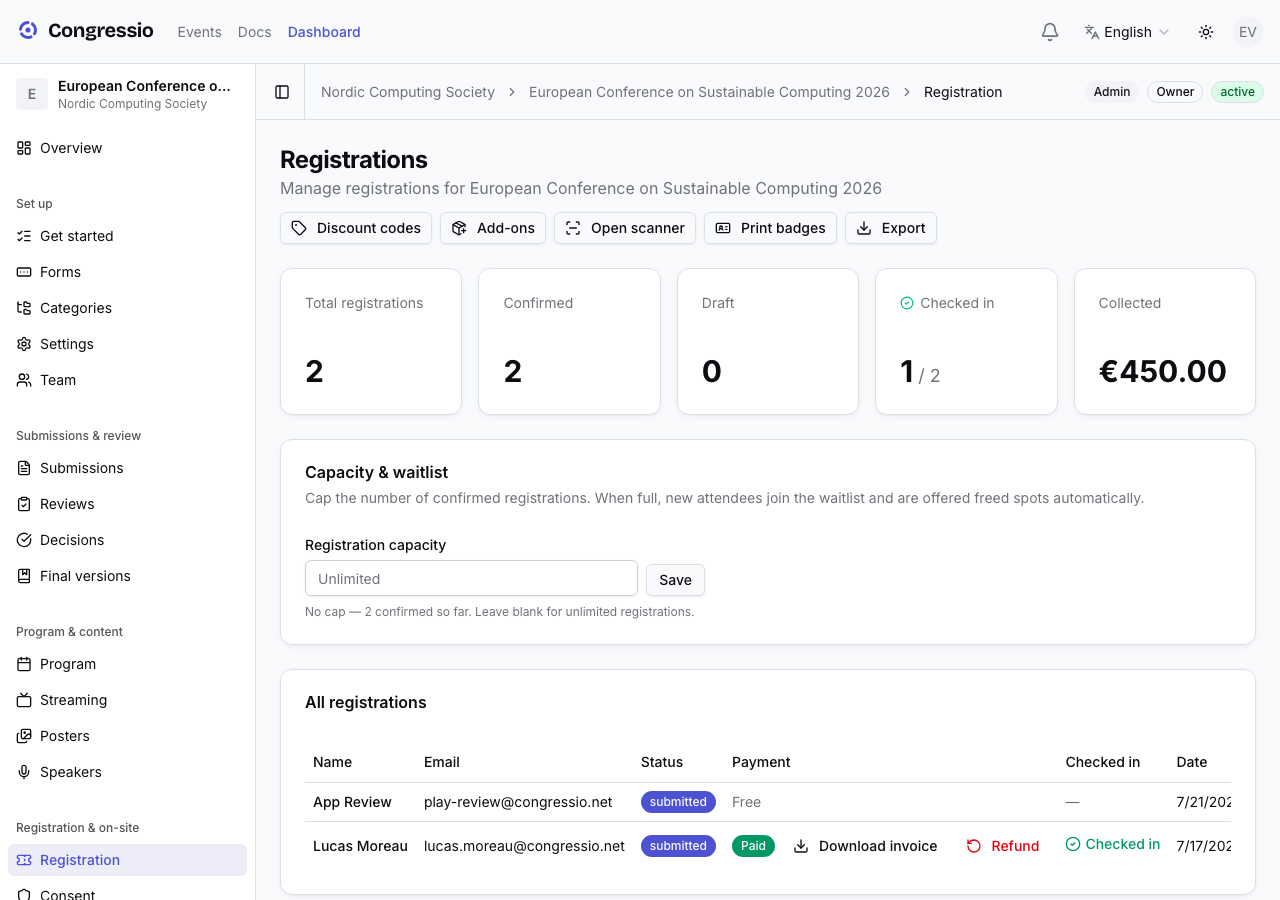
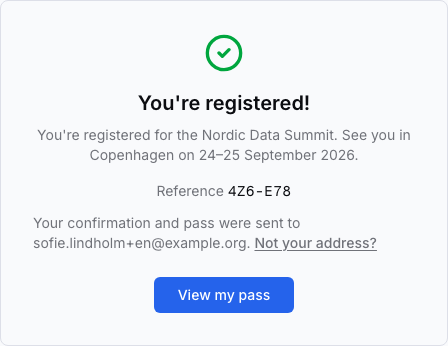
Every registration gets a short reference like 4KP-9XZ. It appears on the confirmation screen, in the confirmation email, and in the Reference column of your Registration page, so an attendee can quote it at the desk and you can find them by it.
It's built to survive being written down and read out: no characters that blur into each other (no 0/O, no 1/I/L), and unique within the event. It matters most when a confirmation went to a mistyped address — the attendee never got the email, and the reference they saw on screen when they paid is the only thing they still hold.
That's also why the confirmation screen says who the email went to, with a Not your address? link: correcting it there updates the account and resends the confirmation and pass, keeping the same reference.
Taking payments
Paid tickets require Stripe Connect to be set up at the organization level (Organization settings → Payouts). Free registration works without it.
Extras
- Add-ons — priced extras (gala dinner, workshops) with per-registration limits and capacity. Manage them via the Add-ons button on the event's Registration page.
- Discount codes — percentage or fixed, scoped to tiers, with expiry and redemption limits (useful for early-bird deadlines). Manage them via the Discount codes button on the Registration page.
- Group orders — one buyer pays for several seats and invites colleagues to claim them.
- Capacity & waitlist — cap total registrations; extra sign-ups join a waitlist and are offered spots as they free up. Each offer shows its claim deadline, and attendees can leave the queue at any time.
On-site
Each confirmed registration issues a pass with a QR code. Use Check-in to scan attendees in, and CPD/CME credits to award credits at credit-bearing sessions. Access zones can be gated by tier.
Related: Attendee consent · Forms · Billing · API & webhooks