For participants
Co-authors
See who you share each submission with, who actually has access, and who presents.
Naming someone on a paper and giving them access to it are two different things — and the gap between them is where collaborators get lost. The Co-authors page makes the difference visible.
Find it in the event sidebar under Co-authors, whether you reach the event through its public pages or through your dashboard.
One card per submission
The page shows one card per submission you're on, each listing that paper's author team in author order. You appear in your own teams, marked You.
The unit is the submission, not the person: the same collaborator on three papers appears on all three cards. That is deliberate — an author team belongs to a paper.
Papers you wrote alone aren't shown. A solo paper has no co-authors.
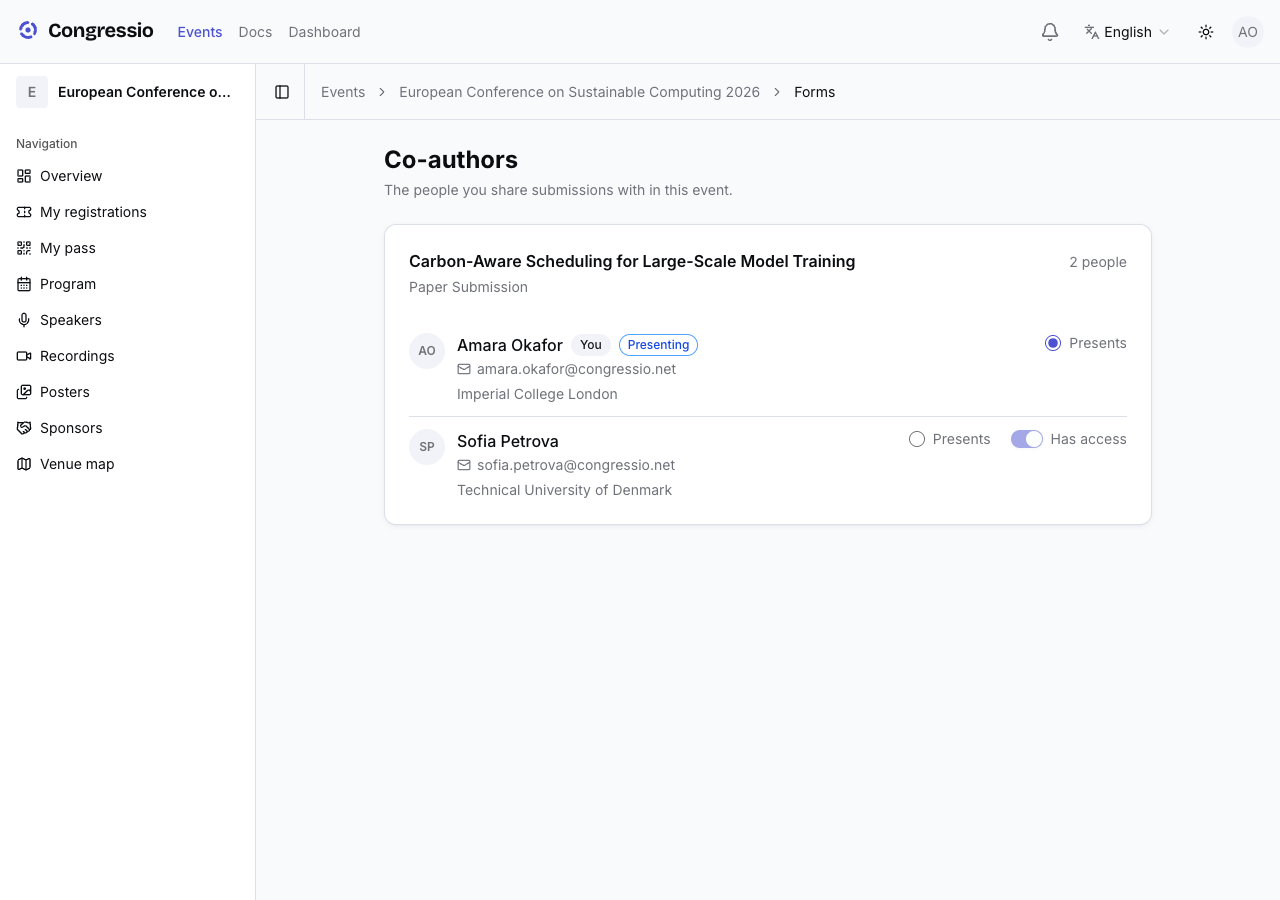
Where a person has a Congressio account, their account name is shown rather than whatever was typed into that particular author list — one person, one name, even if the three papers spell it three ways.
Who actually has access
Each person carries one of three standings:
| Standing | Meaning |
|---|---|
| Has access | They accepted, and hold a role on the event. The paper appears under their My submissions and they can edit it while editing is open. |
| Invitation pending | They were invited but haven't accepted yet. No access until they do. |
| Listed only — no access | Named on the paper and nothing more. They never received anything. |
That last row is the one worth checking. It is easy to type a collaborator into an author list, assume they were notified, and never find out otherwise.
Granting access and setting the presenter
Two controls sit next to each person:
- Access — the switch that invites them as a co-author. Turn it on and they get an invitation; once they accept, the submission joins their My submissions.
- Presents — marks who is presenting the work.
The access switch is sometimes locked, and the page tells you why when it is:
- Only the person who made this submission can change who has access to it. — you're on the paper, but you don't own it. Ask the submitter.
- They already accepted, and their access covers the whole event — an organiser has to remove it. — accepted access isn't per-paper, so it isn't yours to revoke here.
Withdrawing a paper (or deleting a draft) always stays with the person who made it.
Related: Submitting & tracking a paper · Call for papers · Roles & team