Getting started
What is Congressio?
A tour of what Congressio does and how the pieces fit together.
Congressio is an end-to-end platform for running academic and professional conferences: from the call for papers and peer review through registration, the program, on-site check-in, and post-event feedback — with AI assistance woven throughout.
Everything is organized around two objects:
- Organizations — your account/team. Billing, branding, members, and white-label settings live here.
- Events — a single conference (or an edition of a recurring one). Each event has its own forms, reviewers, program, registrations, and settings.
The lifecycle of an event
- Create the event — from scratch, or with the guided setup wizard that drafts the whole thing from a short description.
- Configure the call for papers, tracks, and review process (or skip these for a registration-only event).
- Publish — the event goes from draft to active and becomes publicly visible. (Events created with the guided setup are published on create by default — a switch on the wizard's review step controls this.)
- Collect submissions and/or registrations.
- Review & decide — assign reviewers, gather scores, and record decisions.
- Run the event — build the program, add speakers, check attendees in.
- Learn — read attendee feedback (with an AI digest) and analytics.
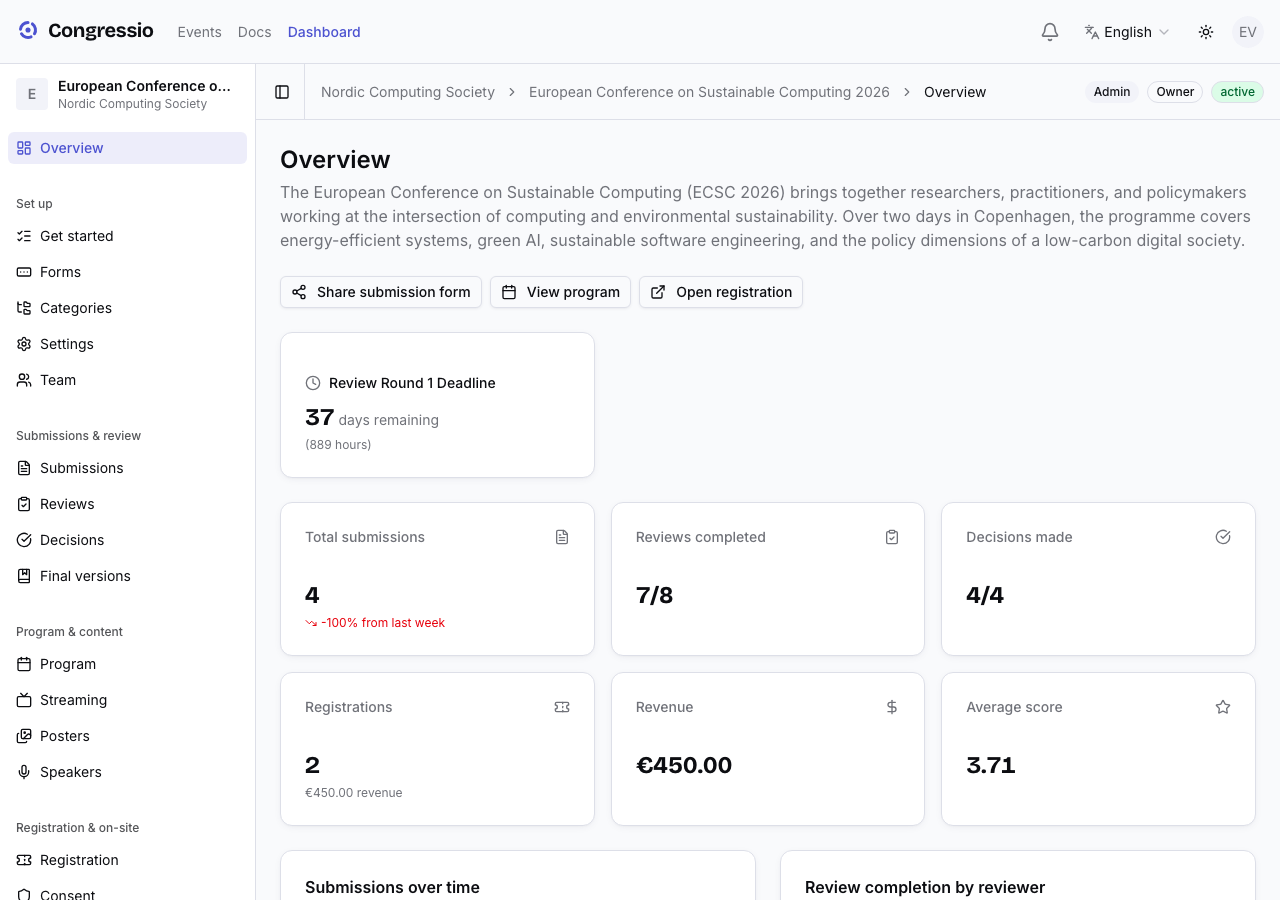
Finding your way around
Inside an event, the left sidebar is grouped by lifecycle stage: Set up (which includes Forms, Tracks, Emails, Settings, and Team), Submissions & review, Program & content, Registration & on-site, Audience & partners, and Insights. What you see depends on your role — an admin sees everything; a reviewer sees only what they need. The sidebar also adapts to the event's shape: if you don't see a tab, enable its area under Settings → Event sections.
Signing in takes you to the event you belong to — the one you were last in, or your only one — rather than a list of everything. When there's genuinely no single answer (several events, no history), you get the list. Your profile menu has an event switcher for moving between them, and the full dashboard stays one click away in the header. A link you followed in — an invitation, a call for papers — always wins over this default.
New here? Start with the guided setup — it's the fastest way to a working conference.
Taking part rather than organizing? See the participant guides: for authors, for reviewers, and for attendees.
Related: Guided setup · Events & publishing · Roles & team
Need help?
Two doors, depending on who you need:
- The event's organizers — questions about a conference (your registration, ticket, submission, refund, the program). Use the Contact organizers page on the event's site, or the Requests page if you're a participant.
- The Congressio team — questions about the platform (your account, billing, a bug). Head to the contact page or email hello@congressio.net.