Call for papers & review
Decisions, rebuttals & meta-reviews
Turn reviews into decisions, run a rebuttal phase, and notify authors.
The Decisions area is where chairs turn reviews into outcomes.
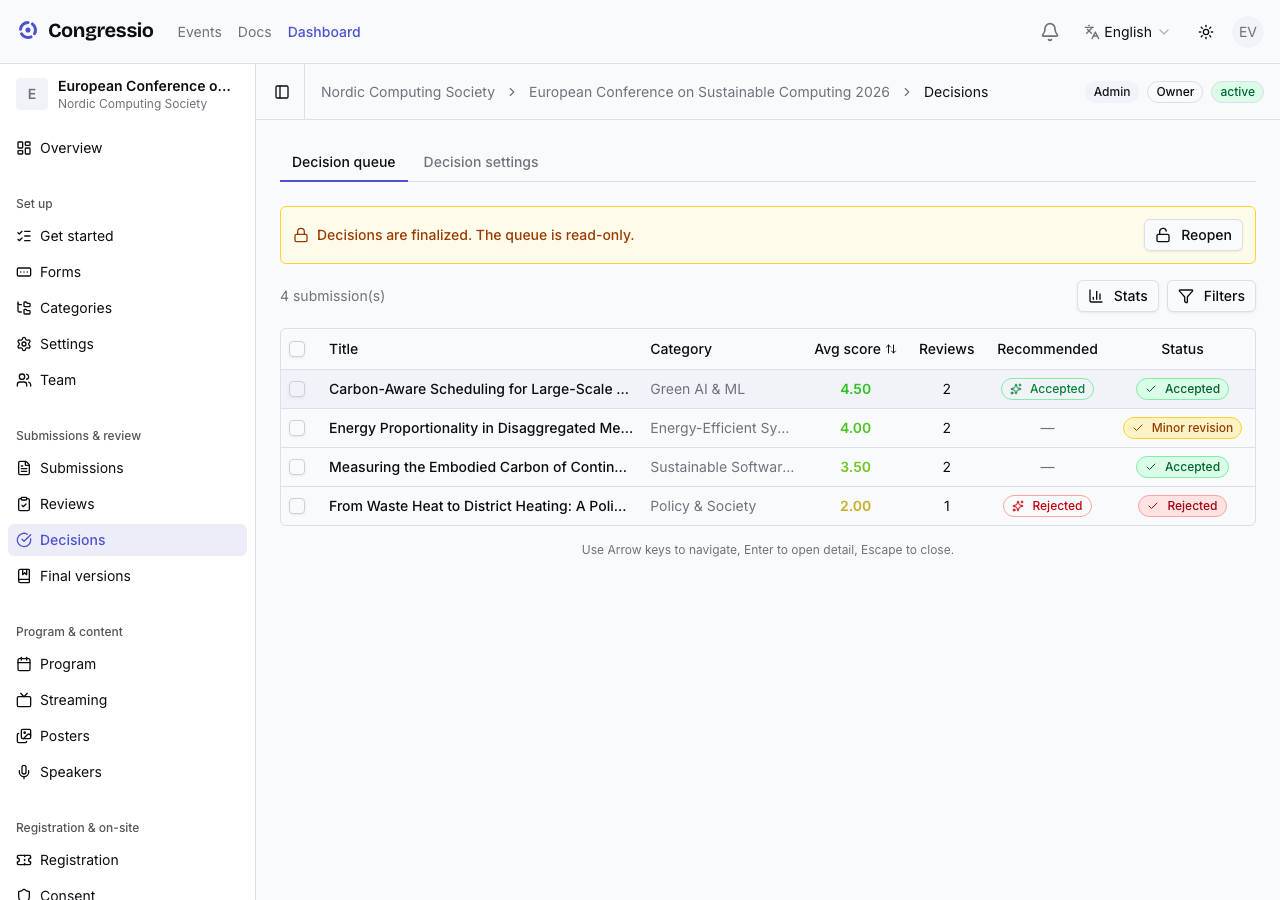
The decision queue
Each submission shows its reviews, score spread, and controls to record a decision (accept, minor/major revision, reject, or your custom decision types) with a Feedback for author field and Decision Notes (internal). Feedback for the author is required before a revision decision can be finalized — it's shown to the author as the reason for the revision.
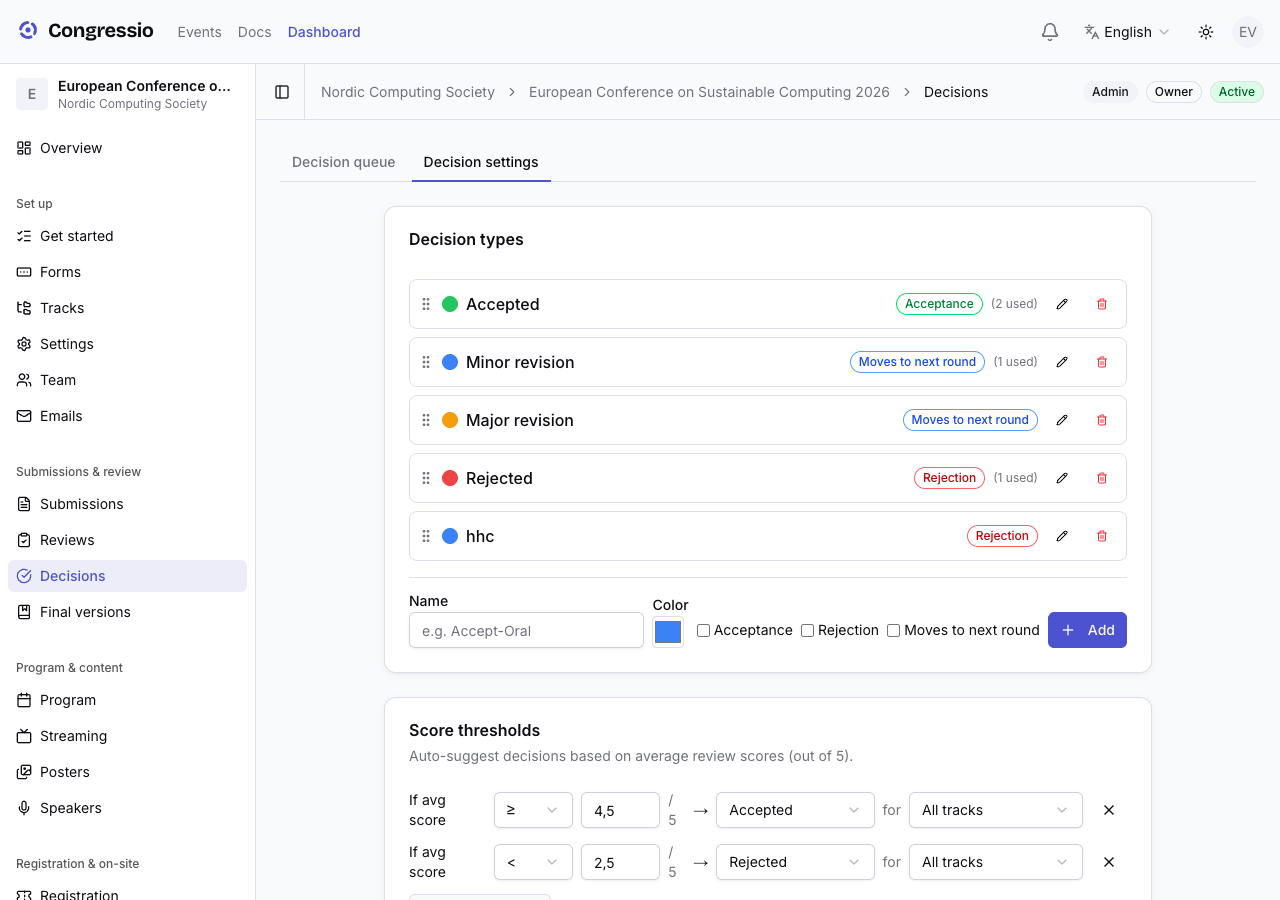
Custom decision types carry acceptance/rejection flags that drive the author-visible status: a type marked as an acceptance sets the submission to accepted, a rejection type sets it to rejected, and a type with neither flag leaves the submission status untouched.
AI help for chairs
When AI is enabled, each submission offers:
- Summarize reviews — a balanced synthesis plus a ready-to-edit draft decision letter and internal notes (drop them straight into the fields).
- Summarize rebuttal — maps the author's rebuttal onto the reviewers' concerns (addressed / partial / disputed), lists what's left unanswered, and flags new information.
- Rewrite with AI on the letter and notes.
All AI output is a draft — you edit and decide. Reviewer identities are never sent to the model.
Rebuttals
You can open a rebuttal phase where authors respond to their reviews before the final decision. The window and on/off state live in the review settings; the author's response appears alongside the reviews in the queue.
Meta-reviews & rounds
For multi-round events, a meta-reviewer can write a summary recommendation, and you can advance the round to collect another set of reviews.
Decisions are also what open the next round. Each decision type has a Moves to next round switch (under Decisions → Settings). Turn it on for the outcomes that should promote an author — "Accept for full paper", say, but not "Reject".
Once a decision of that type is finalized at round N, its author can open round N + 1's submission forms. Nothing else grants that access: a decision that is still a draft, or whose type doesn't advance, leaves the author where they were. See Rounds for how forms are bound to rounds.
Finalizing decisions
There is no separate "release" step: marking a decision final emails the author immediately using your decision email templates (see Emails) — the confirmation dialog warns that this cannot be unsent. Authors then see the outcome and feedback under their submissions.
Finalize all does the same for the whole queue: it first shows a preview to confirm — how many decisions will be finalized and emailed, plus warnings for under-reviewed submissions — then finalizes everything and closes the decision stage. Only decisions not already released are emailed, so authors are never notified twice.
Related: Reviewing · Emails · AI features