Insights & administration
Analytics, reports & audit
Track decision outcomes, export data, and see who did what.
The Insights section gives you the numbers and the paper trail.
Analytics
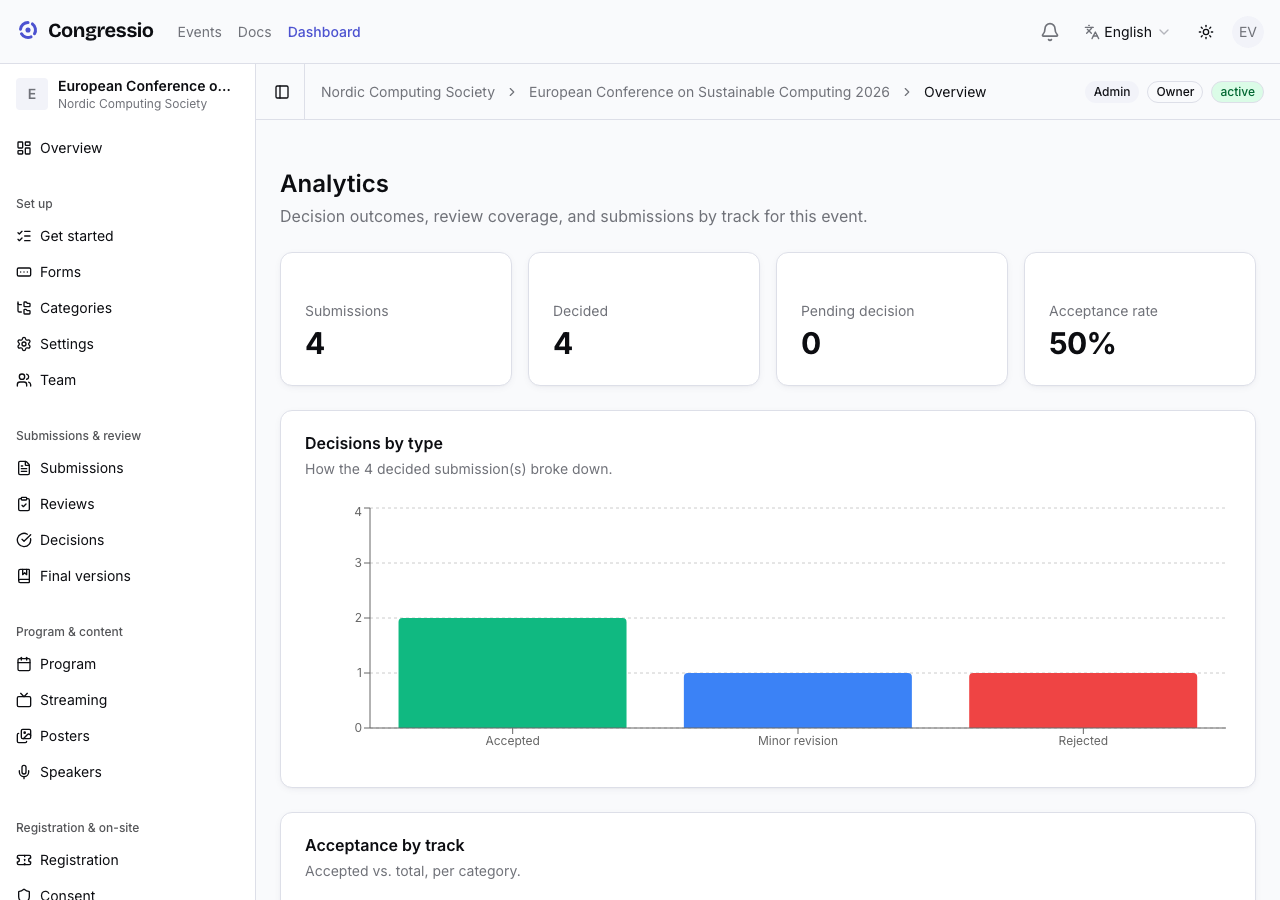
The event's Analytics page is decision-centric — how the review pipeline is going:
- A KPI row: submissions, decided, pending decision, and the acceptance rate.
- Decisions by type — how the decided submissions broke down.
- Acceptance by track and submissions by track.
- Review coverage — how many submissions have their required number of completed reviews.
Looking for time series and funnels? Those live in Reports → Analytics (below).
Reports & exports
Reports produces structured exports for committees and records, one tab per report:
- Submissions, registrations, reviews (including comments), decisions, acceptance rate, cross-reference, and reviewer performance — as CSV/Excel (PDF where it makes sense).
- Book of abstracts — a formatted PDF of accepted work.
- Report builder — custom report templates for recurring needs.
- Analytics — submissions over time (daily trends), the conversion funnel, and per-track breakdowns.
Exports keep column headers stable so they drop straight into spreadsheets.
The consent opt-in CSV isn't here — it's the Export opt-ins button on the Consent page.
Audit log
The Audit log records significant review-pipeline actions — submission status and tag changes, decisions being finalized or reopened, and reviewer (re)assignments — with who did it and when. Filter by action, user, entity or date range, so there's always an accountable history.