For participants
Reviewing papers (reviewers)
Accept an invitation, bid, work your queue, and submit reviews.
This guide is for reviewers on a conference program committee.
Accepting your invitation
You'll get an email invitation with a link. Opening it shows the event and your role; sign in (or create an account) and click Accept. You then land in the event's dashboard. You don't need to be part of the organizer's company — the invite is enough.
Bidding on submissions
If the organizers use bidding, you'll see a Bidding page. It lists the submissions up for review; mark each one Yes (you'd like to review it), Maybe, No, or Conflict. Your bids help the organizers assign you papers that fit your interests. A Conflict bid also files a conflict of interest, so you won't be assigned that paper. Change a bid any time before assignments are made — click a selected option again to clear it.
Your review queue
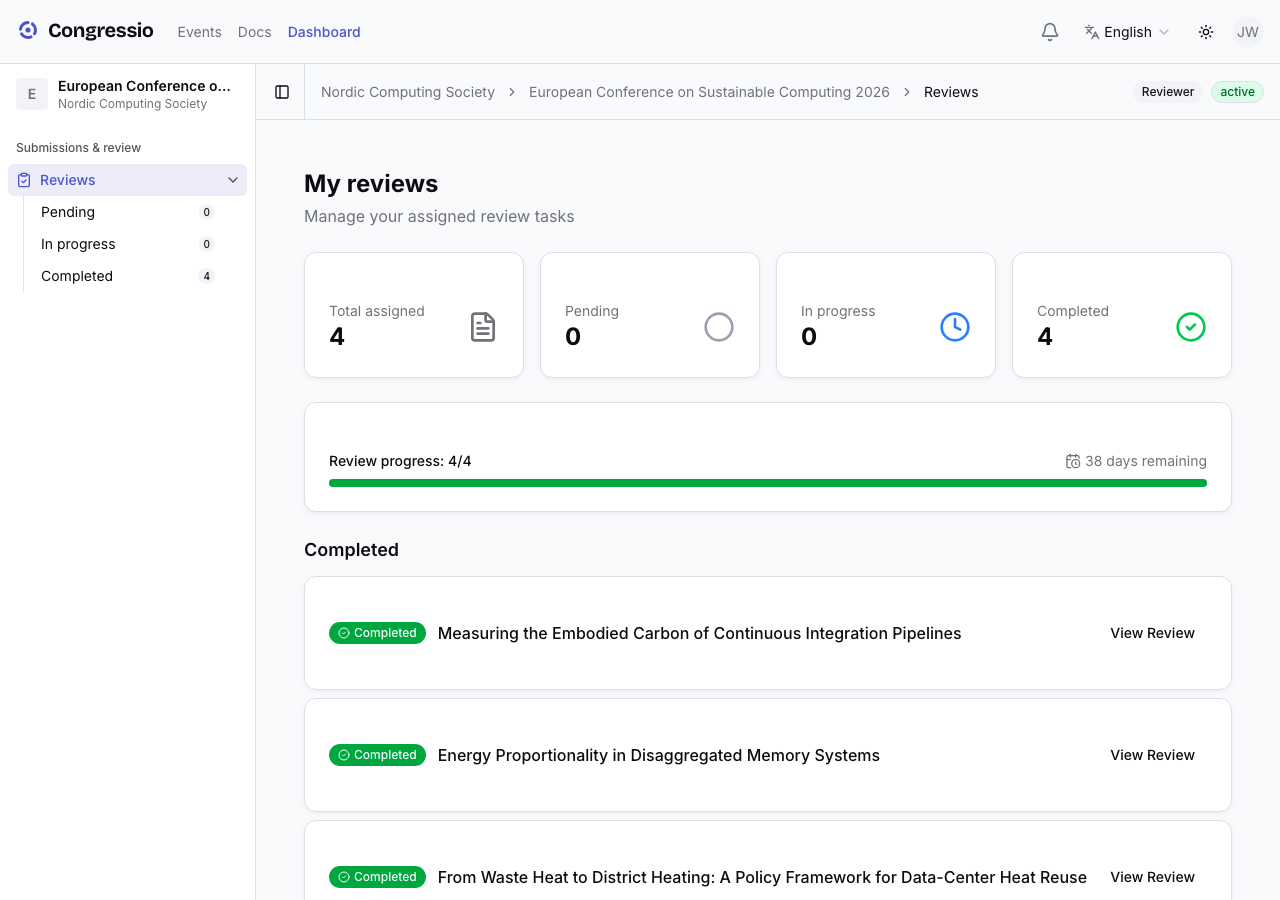
Open Reviews in the sidebar. It lists only the papers assigned to you, grouped by status (pending, in progress, completed), each with its deadline/countdown. You can mute reminder emails per assignment.
Writing a review
Open an assignment to get a side-by-side view: the paper on one side, the review form on the other. The form is what the organizers designed — typically one or more scores, comments to the authors, a recommendation, and confidential comments for the committee.
Your work is not saved automatically — click Save Progress before you leave the page, and come back to the draft any time. When everything required is filled in, click Submit; submitting validates the required fields and then locks the review. If changes are needed later (say, after an author's rebuttal), the organizers can reopen your review so you can revise and resubmit.
Comments to the author are shared (anonymously) with the author; confidential comments stay with the committee. Note that saving and submitting also stop once the review deadline passes or the organizers close the round.
Conflicts of interest
If you have a conflict on an assigned paper, use Declare COI and give a reason. The declaration goes to the chairs for review, and the assignment is removed immediately — declined and COI papers disappear from your queue and you can no longer open them. During bidding, a Conflict bid blocks the assignment directly.
Your areas of expertise (used to match you to papers) are set by the organizers on the Team page — mention them to the chairs if they need updating.
Related: Reviewing (organizers) · Decisions · Roles & team