Program & audience
Streaming & recordings
Stream sessions live or on demand, gated by ticket tier.
Congressio can stream your sessions live and host recordings on demand, with access controlled by ticket tier.
If you don't see this tab in the sidebar, enable its area under Settings → Event sections.
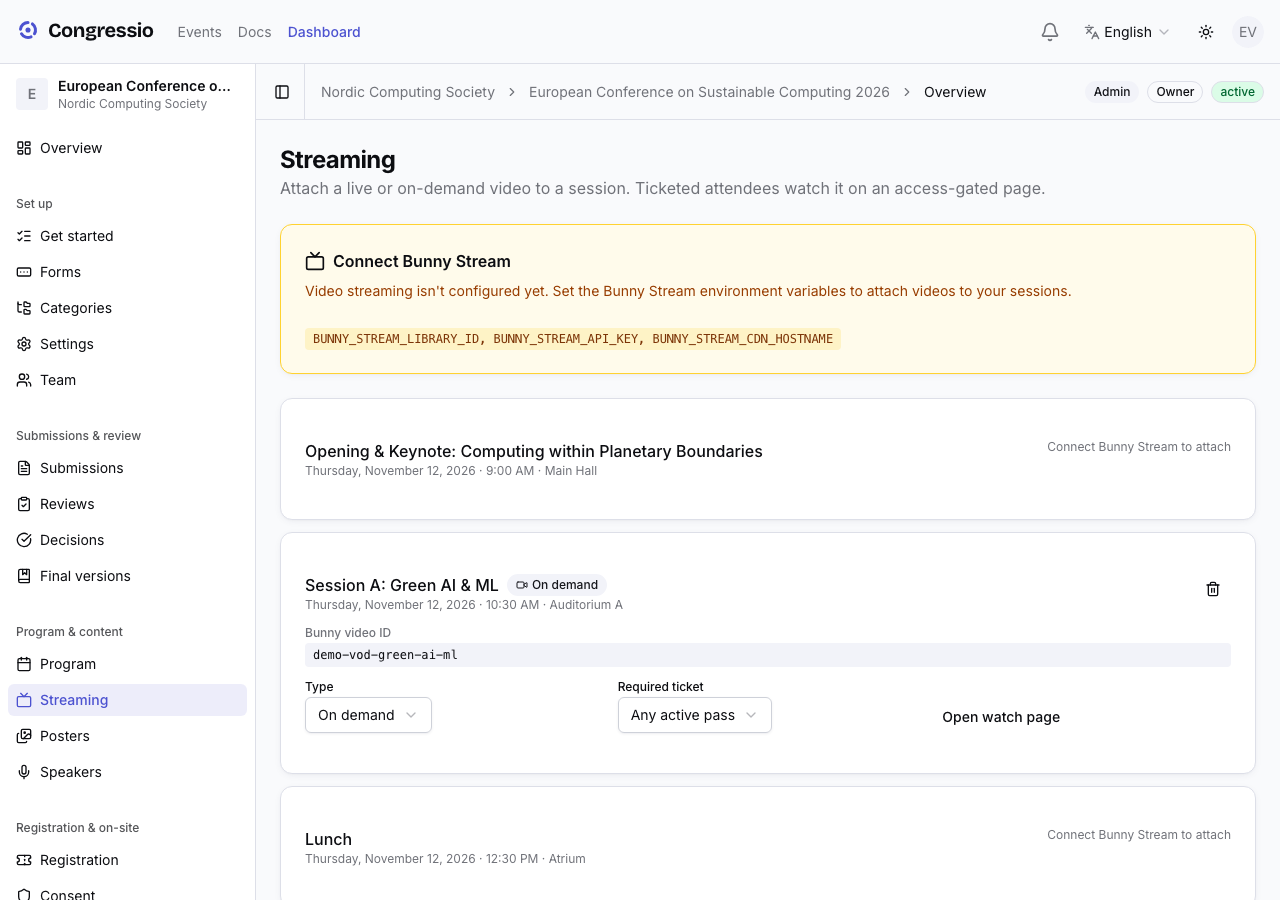
Attaching video to a session
Open Streaming and attach a video to a program slot. Per session you set:
- Type — live or on-demand.
- The video itself.
- Required ticket — defaults to Any active pass so every attendee can watch, or set a tier to restrict it (e.g. a virtual/hybrid pass).
Where attendees watch
- Live: on the session's watch page during the session.
- On demand: in the event's recordings library, which lists the sessions that have a recording.
Streaming requires video hosting to be enabled for the platform — it's an infrastructure setting, not a plan tier. If it isn't available, the Streaming area says so; contact support to have it turned on.
Related: Program & speakers · Registration · Session engagement