Insights & administration
Plans, billing & payouts
Manage your subscription and get paid for tickets.
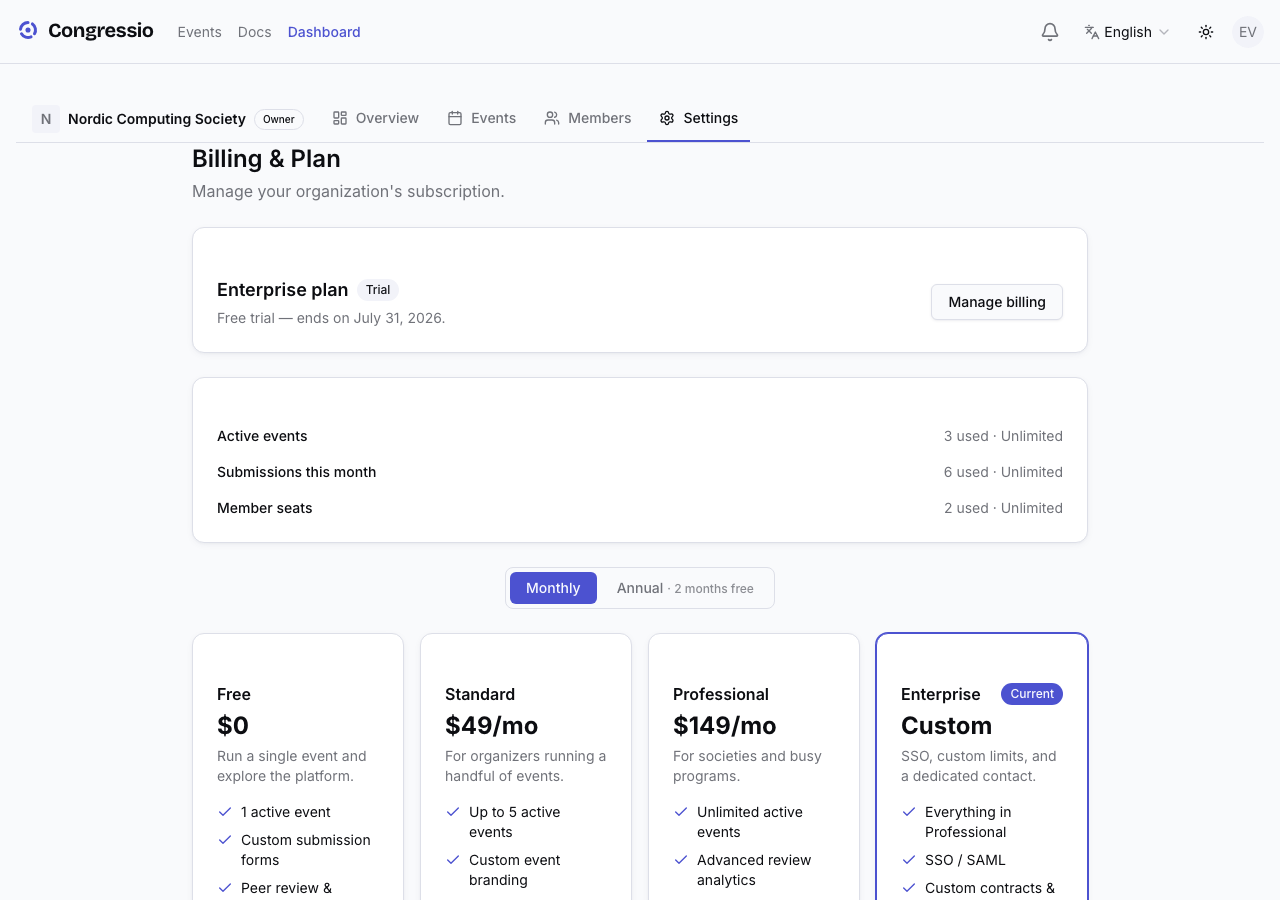
Billing is managed at the organization level by the owner, under Organization settings → Billing.
Plans
Your plan sets limits like the number of active events and which features are available (for example, the white-label landing builder is Enterprise). You can upgrade or change your plan from the billing page; usage that exceeds a plan's limits may be billed as overage where your plan allows it.
Three limits are enforced: active events (creating or unarchiving beyond the cap is blocked), submissions per month (new call-for-papers submissions pause at the cap — registrations are never blocked), and member seats (invitations pause at the cap). On plans with overage billing configured, the same counters bill instead of block. The billing page shows each counter, and the organization's billing contact receives an email when usage crosses 80% of a limit and again when it's reached — so a cap never comes as a surprise mid-CFP.
Payouts (getting paid for tickets)
To sell paid tickets you connect Stripe under Organization settings → Payouts (owner only). Once connected, ticket revenue flows to your Stripe account. Free registration needs no payout setup.
AI budget
When AI is enabled for your organization (a platform-level toggle, not a plan feature), the platform sets a token budget per organization. You can watch usage on the AI settings page; when the budget is reached, AI features hide until it resets or is raised.
Enterprise
Enterprise adds white-label landing pages, custom domains, and higher limits. Use the in-app contact sales option to request it.
Related: Registration · White-label landing pages · AI features