For participants
Attending the event (attendees)
Register, get your pass, build your agenda, and join sessions.
This guide is for attendees of a conference on Congressio.
Registering
Register from the event's Register page (/events/<event>/register). Pick your ticket type, add any extras, apply a discount code if you have one, and pay if it's a paid ticket — the payment confirmation offers a View my pass button that takes you straight to your badge. If the event is full you can join the waitlist; if a colleague bought you a seat, you'll get a claim link to register without paying.
Many events don't ask you to create an account at all: if the event has no call for papers, the Register page starts with a short Your details step — your name and email — and that's the whole sign-up. (An account is made for you from those details, so your pass and My registrations still work; you just never had to think about it. If the address you type already has an account, you'll be asked to sign in with it instead.)
You can only register once per event: if you come back to the Register page, an "You're already registered" screen greets you with View my pass and My registrations buttons.
Your reference, and a mistyped address
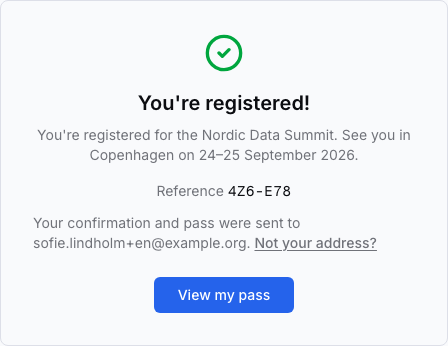
When you finish, the confirmation shows a short reference like 4KP-9XZ. Keep it — it identifies your registration at the check-in desk and in any email to the organizers, and it doesn't change afterwards.
The same screen names the address your confirmation and pass were sent to. If it's wrong — a typo you only notice now that nothing has arrived — use Not your address? right there: correct it and everything is sent again, to the same registration. This is worth doing before you close the page, because if the address is wrong, the reference on screen is the only copy you have.
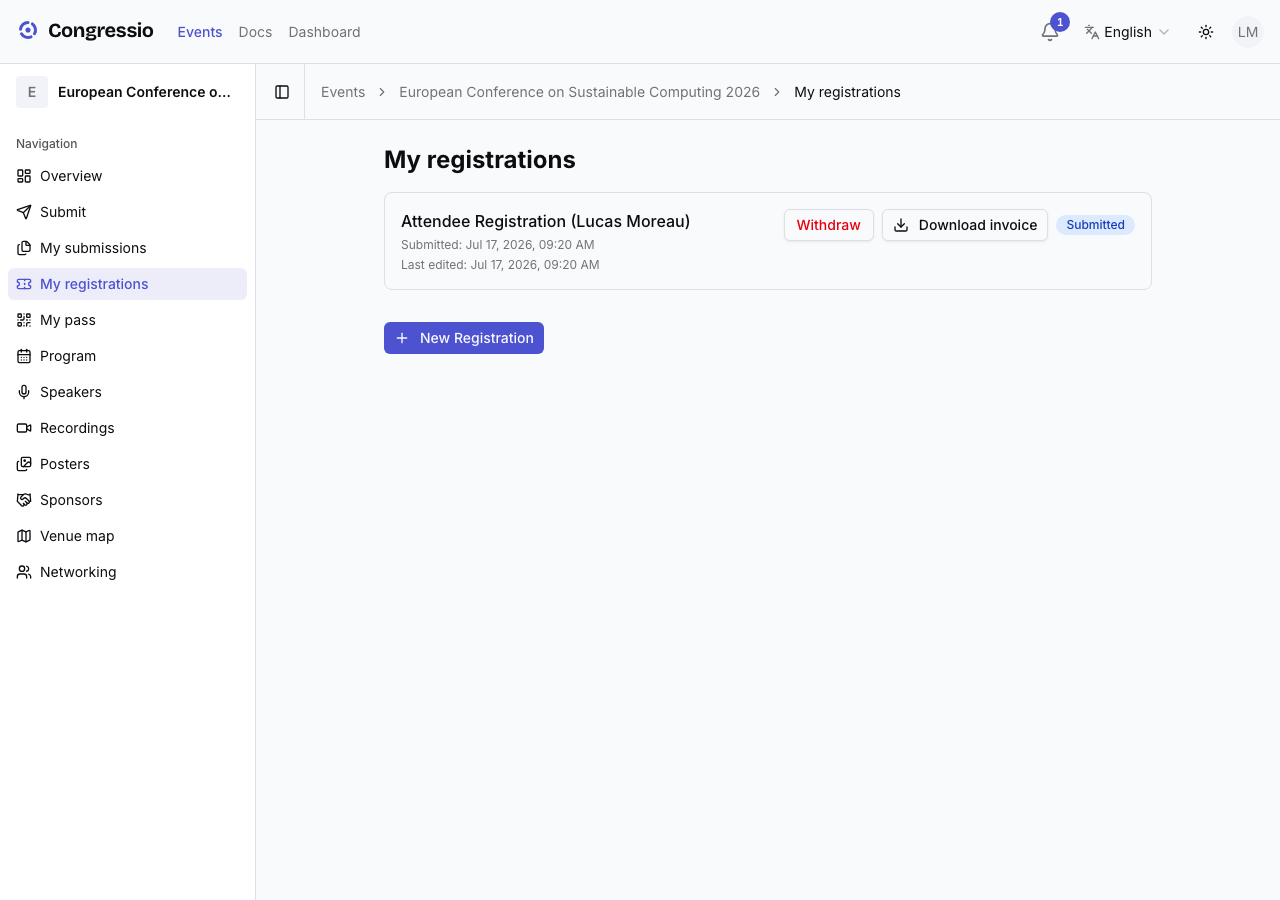
Manage everything afterwards under My registrations — download a VAT invoice, and grant or withdraw consent (e.g. marketing) at any time. One caveat: consents the organizer marked required for participation can't be withdrawn in-app — contact the organizer instead.
Your digital pass
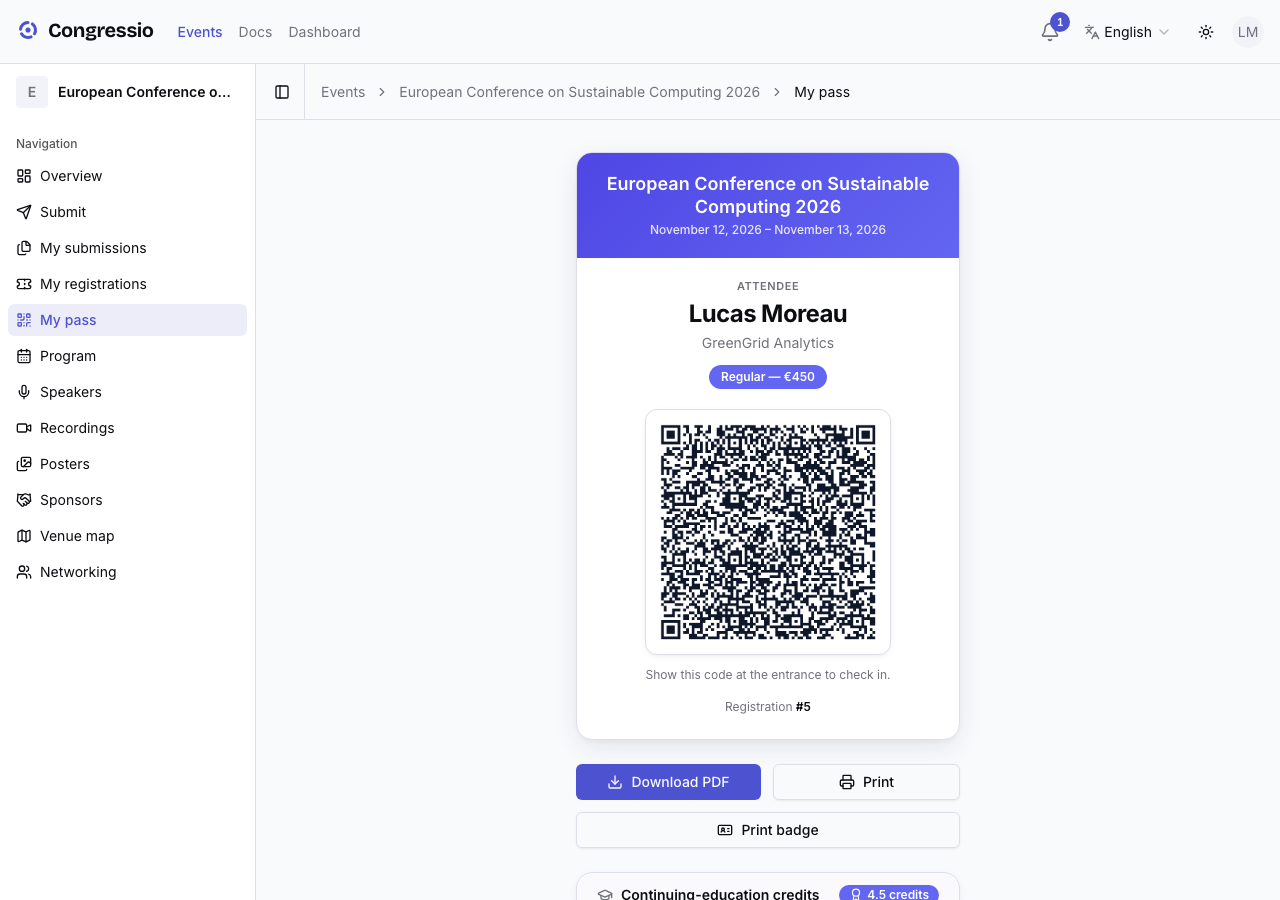
Open My pass (/events/<event>/pass) for your QR badge (name, affiliation, ticket tier). Add it to Apple Wallet or Google Wallet, or download the PDF. On-site staff scan it to check you in and into access zones, and any CPD/CME credits you earn — with a downloadable certificate — show up here too.
The program
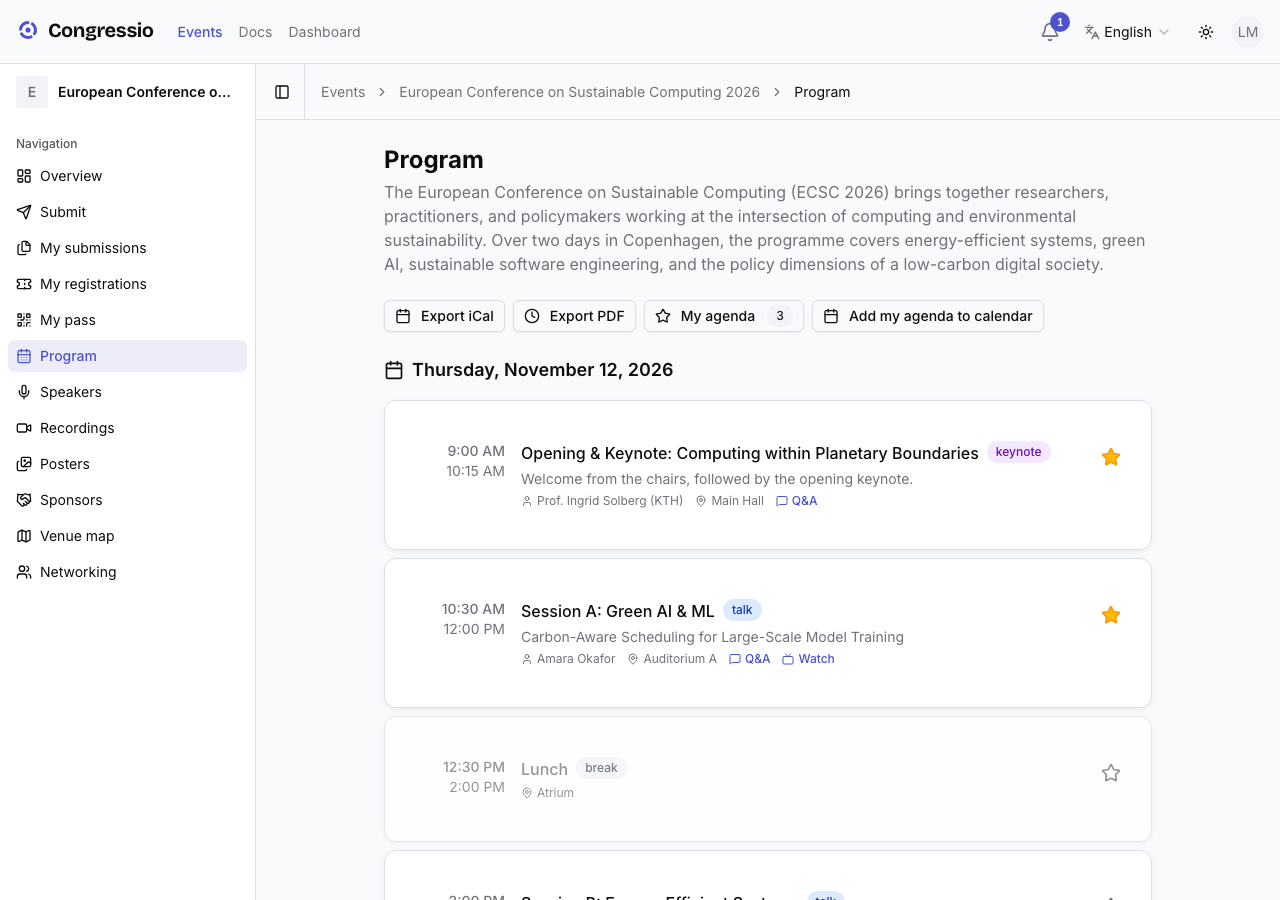
Browse the Program and star the sessions you want; that builds a personal agenda you can filter to, and export to your calendar (iCal). Each session has its own page.
During sessions
On a session's page you can:
- Ask and upvote questions in Q&A, and vote in polls.
- Download the session's materials.
- Watch live-streamed sessions (if your ticket allows), and find recordings later in the library.
More
- Posters — browse the interactive poster gallery.
- Networking — opt in to the attendee directory (you control what you share) and message other attendees.
- Venue map — find rooms, booths, and sessions on the floor plans.
Related: Registration · Consent · Live engagement · Streaming
Asking the organizers for something
Two channels, depending on who you are:
- Contact organizers (event sidebar, visible to everyone — even before you register): a simple message form. The organizers receive it by email and can reply straight to your address.
- Requests (event sidebar, once signed in): for participants — ask for equipment, an accessible seat, a scheduling constraint, anything. Each request has a category and a status you can follow (open → in progress → resolved/declined), with the organizer's reply shown on the request. Open requests can be withdrawn.
Both reach the event's organizers. Questions about the Congressio platform itself (your account, billing, a bug) go to the platform contact page instead.