Insights & administration
API access & webhooks
Integrate Congressio with your own systems via API keys and webhooks.
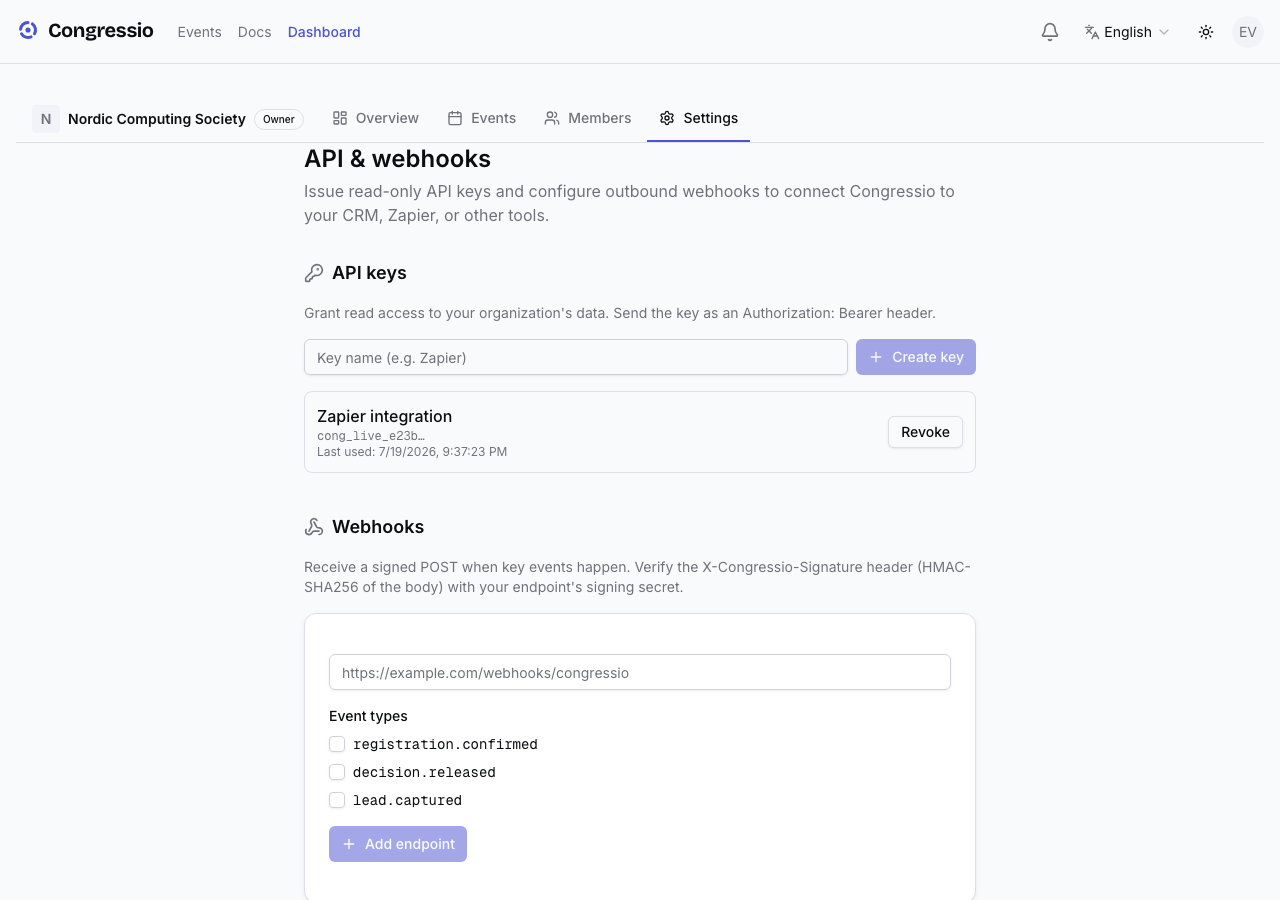
For custom integrations, Congressio offers API keys and webhooks at the organization level, under Organization settings → API.
API keys
Create an API key to call the platform programmatically. The secret is shown once at creation and is never stored — copy it then. Congressio keeps only a hash plus a short display prefix (like cong_live_ab12…) and the last-used time, so you can identify and revoke keys later.
Keys carry scopes — pick exactly what a key can reach (events:read, submissions:read, registrations:read, registrations:write) when you create it. Alongside the read endpoints, the API has a write endpoint, POST /api/v1/events/{eventId}/registrations, which adds a confirmed attendee (handy for importing from a CRM) and needs the registrations:write scope. The public API is rate-limited per key.
Webhooks
Register a webhook endpoint (a URL + a signing secret) and subscribe it to the events you care about. Congressio emits seven event types:
submission.createdsubmission.updatedreview.assignedreview.submittedregistration.confirmeddecision.releasedlead.captured
Each delivery is an HTTP POST signed with HMAC-SHA256 in an X-Congressio-Signature: t=<unix seconds>,v1=<signature> header. To verify a delivery: take the t value from the header, concatenate it with the raw request body as {t}.{body}, compute an HMAC-SHA256 of that string with your endpoint's secret, and compare the hex result against v1 using a constant-time comparison. Reject deliveries whose t is more than a few minutes old (we recommend 5) — because the timestamp is part of the signed string, this makes captured requests useless for replay later. A recent deliveries list shows status, response code, and retry attempts so you can debug failures, and failed deliveries retry automatically with backoff.
Slack
You can also add a Slack endpoint: paste a Slack Incoming Webhook URL and pick events to get readable messages in a channel — no code required.
Access is limited to organization admins/owners. There's no plan gating — it's controlled by your org role.
Related: Registration · Decisions · Sponsors