Call for papers & review
Call for papers
Build the submission form, set the window, and open for submissions.
The call for papers (CFP) is a submission form plus a window during which authors can submit.
The submission form
Under Forms, your submission form defines the questions authors answer — title, abstract, keywords, paper upload, and anything else you need. Build it with the form builder. Creating a submission form automatically creates its linked review and decision forms, so the whole pipeline is wired up for you.
When AI is enabled, the builder's Suggest questions button proposes fields tailored to your event.
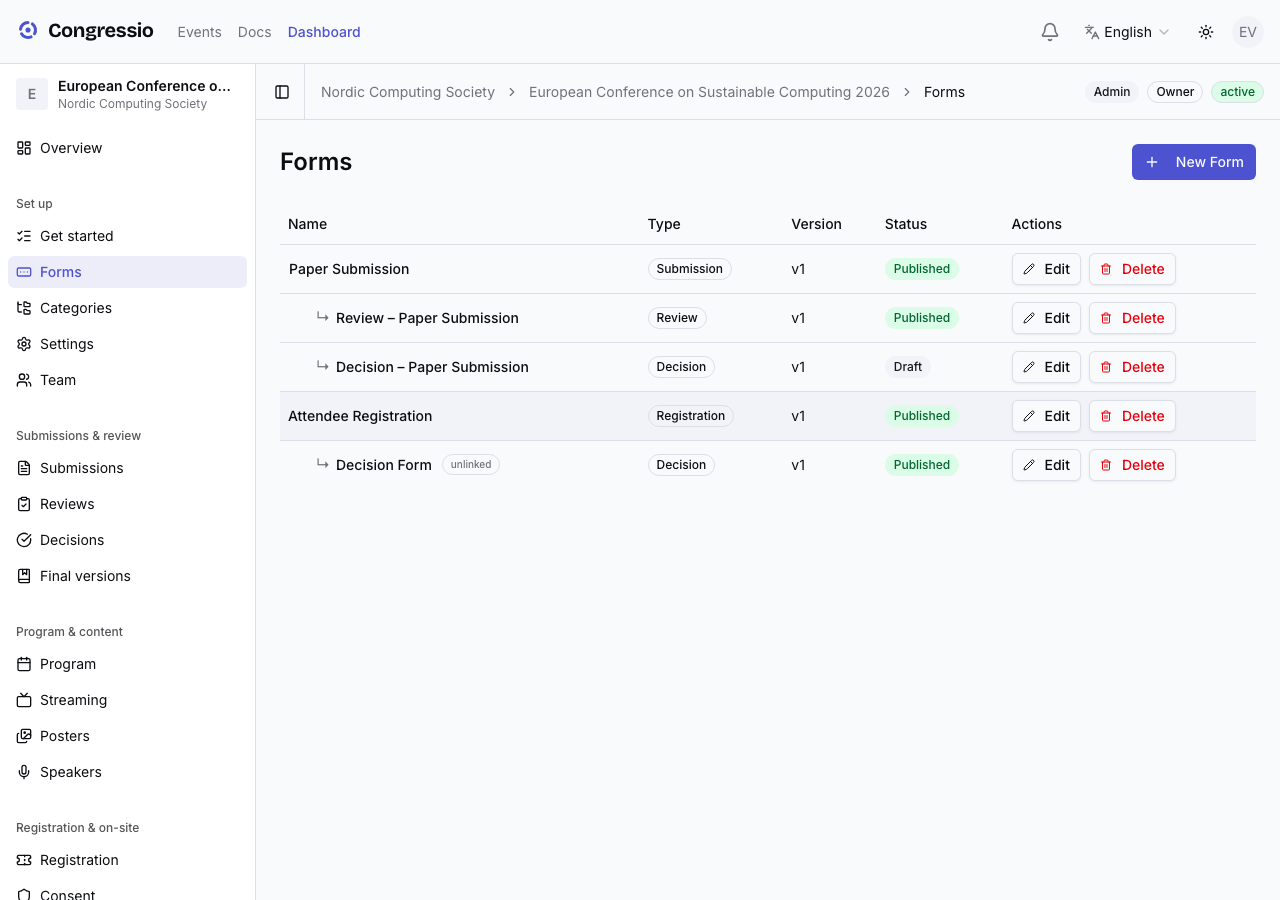
Opening the CFP
Two things must be true for authors to submit:
- The submission form is published (open the form and click Publish).
- The call-for-papers window is open — set it on the Dates & windows card under Settings → General. Times are entered in the event's timezone; leave a bound empty for no limit (an unset window is always open).
Authors then submit at /events/your-event-slug/submit.
What authors see
- A Track selector, an author/co-author list, and file uploads are handled for you. The Track choice drives reviewer matching and assignment.
- Authors can save a draft and finish later, and edit until the deadline.
- Authors asked for a revision can resubmit even after the window closes — revision requests are exempt from the CFP deadline.
Screening tip: on any submission, admins can run an AI CFP check (fit to your scope, abstract completeness, empty fields) and an AI duplicate check — both advisory. See AI features.
Related: Form builder · Tracks · Reviewing