Registration & attendees
Printing badges
Print entry badges for attendees, and role badges for the people running the event.
The Badges page turns your confirmed registrations into printable entry badges. It sits under Registration & on-site and is admin-only.
If you don't see this entry in the sidebar, enable its area under Settings → Event → Event sections.
Each badge carries the event name, the attendee's name, their affiliation and ticket tier, and the same QR code as their digital pass — so a printed badge scans at check-in exactly like a phone does.
Choosing a format
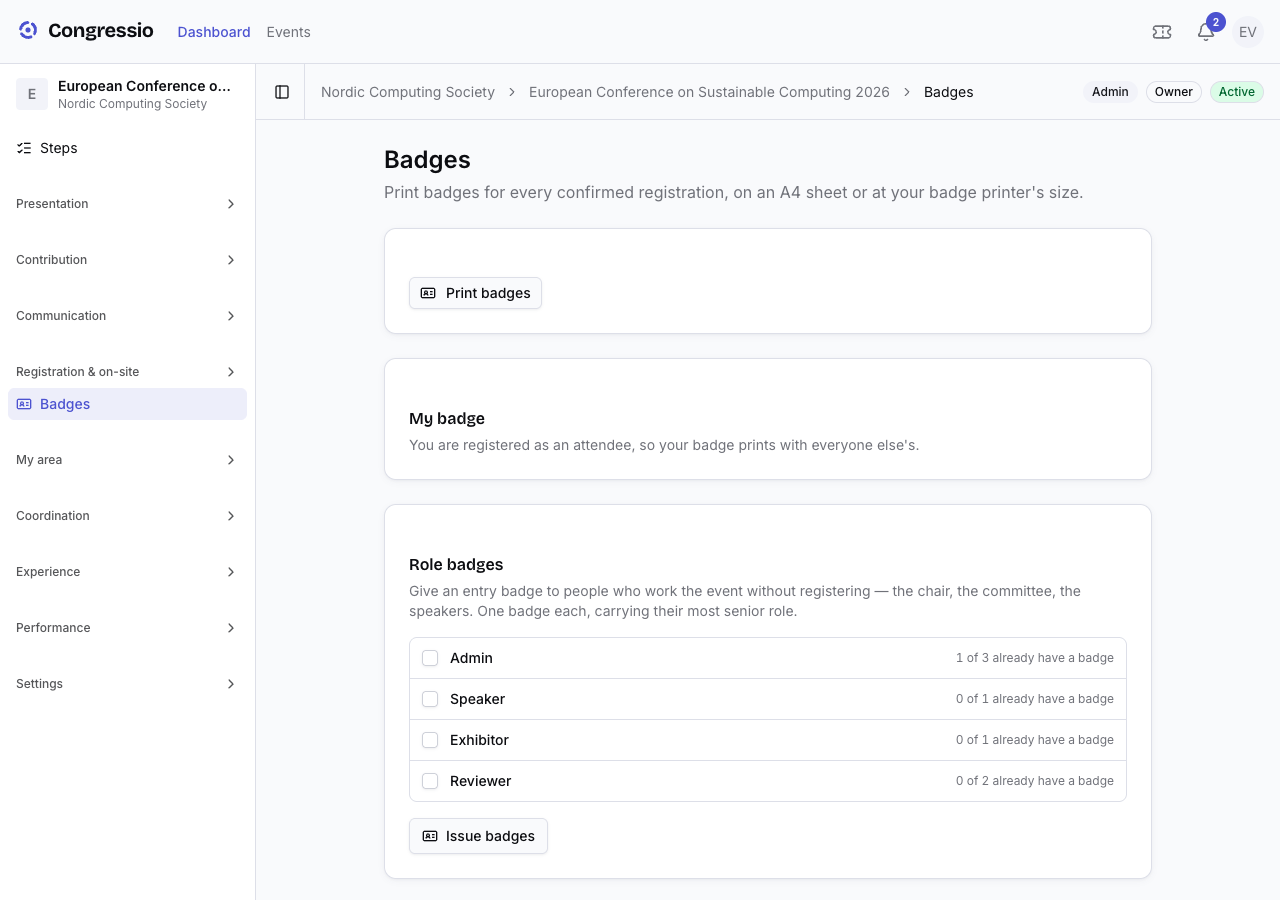
Print badges generates a PDF sized for the stock you're using:
| Format | Size | For |
|---|---|---|
| A4 sheet | 8 per page | An office printer — cut along the dashed guides. |
| A6 badge | 105 × 148 mm | The classic lanyard badge, one per page. |
| CR80 card | 85.6 × 54 mm | PVC card printers (Evolis, Zebra…). |
| 100 × 62 mm label | — | Label printers (Brother QL…). |
| Custom size | your own, in mm | Any other badge stock. |
The PDF page matches the badge size, so print at 100% and turn fit to page off — scaling the page shrinks the QR and can make it unscannable.
Role badges
The people who run a conference often never register for it: the chair, the committee, your speakers. Role badges issues them an entry badge anyway — pick the roles you want covered and Congressio creates one badge each, carrying that person's most senior role.
It's safe to run more than once: the counter tells you how many of your role-holders already have a badge, and re-issuing skips anyone who does rather than minting a duplicate.
Your own badge
Opening this page issues your badge if you don't already have one — you're the one person who can't queue at their own desk. If you registered as a normal attendee, nothing special happens: your badge prints with everyone else's.
Related: Check-in, passes & zones · Registration · CPD/CME credits